
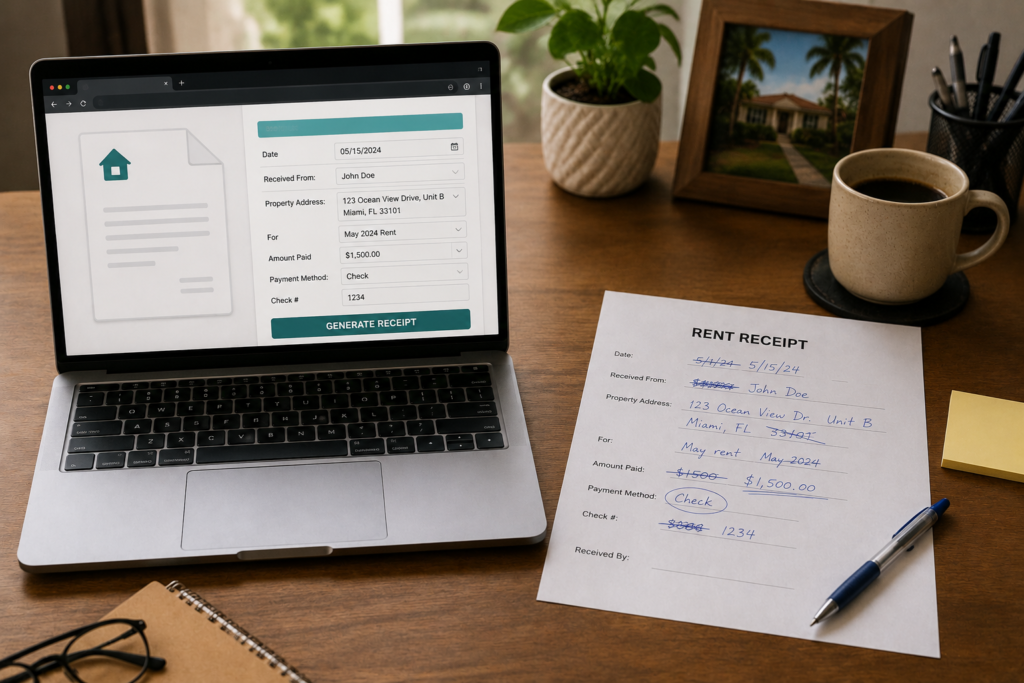
You can create a rent receipt in Microsoft Word using a simple document with fields for the landlord, tenant, rental property, payment amount, payment date, rental period, and payment method. Once formatted, you can save the document as a reusable Rent Receipt Template Word file and use it for every future payment.
This guide walks you through the process step by step. If you would rather skip the formatting and file management, you can also create a professional rent receipt online with RentReceipt and download the finished receipt as a PDF.
Word works well when you manage one or two units and issue a handful of receipts. It gets tedious once you track several tenants, because every receipt means a manual edit, a manual save, and a manual export. Both routes are covered below so you can pick the one that fits your setup.
This article is for informational purposes only and does not constitute legal or tax advice. Laws vary by state. Consult a qualified attorney or tax professional for advice specific to your situation.
How to Make a Rent Receipt in Word
Building your own Rent Receipt Template Word document takes about 15 minutes. The layout below keeps things clean and easy to reuse.
Step 1: Open a Blank Document and Set Your Layout
Open Word and create a new blank document. Set your margins to 1 inch on all sides and use a legible font like Arial or Calibri at 11 to 12 pt. Add “Rent Receipt” as a bold header at the top, along with your name or business name if you rent through an LLC.
Step 2: Create a Simple Table for the Fields
A two-column table works well, with the label on the left and a fillable space on the right. Insert a table with two columns and eight rows, then type these labels:
| Field | Details |
|---|---|
| Receipt Date | _________________ |
| Tenant Name | _________________ |
| Property Address | _________________ |
| Payment Amount | $________________ |
| Payment Method | _________________ |
| Period Covered | _________________ |
| Landlord Signature | _________________ |
| Receipt # | _________________ |
Keep it on one page. Landlords and tenants don’t need three pages for a monthly rent receipt.
Step 3: Add a Signature Line and a Short Note
Below the table, add a line for your signature and a short statement such as “Payment received with thanks.” A signed statement confirms you actually received the funds. If you accept partial payments, add a “Balance remaining” row so the receipt shows what is still owed.
Step 4: Format for Consistency
Use the same font, table borders, and spacing so your Rent Receipt Template Word file looks identical every month. Consistent formatting makes your records look professional, and it makes a missing receipt easy to spot when you flip through a folder.
What to Include on a Rent Receipt Template Word Document
Whether you build your own in Word or use another format, every rent receipt needs the same core information. Missing even one field can create headaches if a tenant disputes a payment or you need the record at tax time.
- Receipt date: the date you issue the receipt, which is not always the date rent was due
- Tenant’s full name: exactly as it appears on the lease
- Rental property address: including the unit number if applicable
- Payment amount: the exact dollar amount received
- Payment method: cash, check, money order, bank transfer, Zelle, Venmo, and so on
- Period covered: for example, June 1 to June 30, 2026
- Landlord’s name and signature: confirms you received the funds
- Receipt number: optional, but it makes your own recordkeeping much easier
Many of the files you find when you search for a free rental receipt template Word download leave out the payment period, the receipt number, or the signature line. Missing important fields can make a receipt less useful as a payment record, so check any template against this list before using it.
Is a Word Rent Receipt Legally Valid?
A rent receipt generally does not need to be a government-issued form. What matters is that it accurately documents the payment and includes the information required under applicable state or local law.
What does vary is when you have to provide one. Some states require a receipt when a tenant pays in cash, and others require one on request. Nolo’s plain-English page on whether tenants are entitled to a rent receipt is a good place to start, and our guide on how to fill out a rent receipt explains what belongs in each field.
How to Save Your Rent Receipt as a Reusable Word Template
This is the step most people skip, and it is what turns a one-off document into a true Rent Receipt Template Word file. Without it, you end up retyping labels or overwriting last month’s receipt.
- Finish your blank receipt with every label in place and the fill-in cells empty.
- Go to File → Save As and choose Word Template (*.dotx) from the file type list.
- Name it something clear, like
Rent-Receipt-Template-2026.dotx. - To use it, open it from File → New → Personal, or double-click the .dotx file. Word opens a fresh untitled copy, so your master stays blank.
- Fill in the details, save the copy as a regular .docx, and export a PDF for your tenant with File → Export → Create PDF/XPS.
Name each saved copy by tenant and month, for example Receipt-Smith-June2026.docx, and keep one folder per property. A simple system beats a clever one, because you will need to find these files months from now.
Keep Your Receipts Organized
Issuing a receipt is only half the job. You also need to find it later.
- Create one folder per property on your computer or cloud storage
- Name files consistently, such as
Receipt-[TenantLastName]-[YYYYMM].pdf - Back up to the cloud with Google Drive or Dropbox
- Send your tenant a copy, by email or in print, so you both hold the same record
Receipts also feed your tax records. Rental income generally includes advance rent, and cash-method landlords count income when they actually receive it, so a dated receipt helps show what you collected and when. The IRS covers this in Publication 527 on residential rental property and in its short rental income and expenses tax topic. Ask your tax professional how long to keep your records. For a running total across all your tenants, pair your receipts with a rent ledger.
Example of a Rent Receipt Created in Word
Here is what a finished receipt looks like once the template is filled in. The names and amounts are fictional.
| Field | Details |
|---|---|
| Receipt Date | June 1, 2026 |
| Tenant Name | Maria Gonzalez |
| Property Address | 1420 Palm Ave, Unit 2, Miami, FL 33143 |
| Payment Amount | $1,850.00 |
| Payment Method | Zelle |
| Period Covered | June 1 to June 30, 2026 |
| Landlord Signature | Carlos Reyes |
| Receipt # | 2026-0601 |
Before you send it, export the receipt to PDF. A PDF keeps the amounts from being edited by accident and opens the same way on every phone and computer. If you want more filled-out layouts to compare against, see our rent receipt example with a filled-out receipt.
Word Template vs. Online Rent Receipt Generator
A Rent Receipt Template Word file gives you full control, and it costs nothing if you already own Word. The tradeoff is that you do the upkeep. Word requires manual formatting, editing every receipt, organizing your own files, and exporting each one to PDF. RentReceipt handles the receipt structure for you and creates the finished PDF online.
| Word Template | RentReceipt | |
|---|---|---|
| Setup | Build the layout and save it as a .dotx | Nothing to build |
| Formatting | You format and keep it consistent | Receipt structure is handled for you |
| Each new receipt | Open, edit, and save a copy | Enter the payment details and preview |
| File organization | You name and sort every file | Download the finished receipt |
| PDF output | Separate export step every time | Creates the PDF online |
Landlords who stay with Word usually run into the same problems:
- Accidental overwrites. You hit Save instead of Save As, and last month’s receipt is gone.
- Version control. Twelve receipts per tenant across several units adds up fast.
- Formatting drift. Small edits pile up until your receipts stop looking alike.
- Extra PDF step. Most tenants want a PDF, so every receipt needs one more export.
Prefer not to build and maintain a Word template? Use our Rent Receipt Template for Word alternative to create the receipt online instead. Enter the payment details, preview the finished receipt, and generate a professional PDF without formatting a Word document.
RentReceipt produces PDF receipts rather than Word files, so if you need an editable .docx, use the steps above to build your own. If you keep records in other formats, our comparison of rent receipt templates for Excel, Word, and Google Docs shows how each one stacks up.
Create a Rent Receipt Without Microsoft Word
If you do not have Word, or you just want the receipt done in a couple of minutes, an online generator skips the Rent Receipt Template Word setup entirely. The process looks like this:
- Enter the tenant, property, amount, date, period, and payment method.
- Preview the finished receipt on screen.
- Download the PDF and send it to your tenant.
There is no template to maintain and no file to overwrite. Generate your free rent receipt at RentReceipt.com and have a clean receipt ready in under two minutes. If you want to know more about the format itself, see the rent receipt PDF page.
For more rental management advice, browse our Landlord Tips (https://rentreceipt.com/blog/category/landlord-tips/) category. For receipt templates, documentation help, and proof-of-payment guidance, explore our Rent Receipts (https://rentreceipt.com/blog/category/rent-receipts/) category.
A Rent Receipt Template Word file is a solid choice when you only need a few receipts a year and like controlling every detail. If you would rather spend that time on your properties, generate your free rent receipt at RentReceipt.com and download a finished PDF each month.
Frequently Asked Questions
Can I use a Word document as a rent receipt?
A Word document can be used to create a rent receipt, provided it contains the information required for the payment record and complies with applicable state or local requirements. Include the tenant, property address, amount, payment date, period covered, payment method, and your signature. Export it to PDF before sending so the amounts cannot be changed.
What should a Rent Receipt Template Word document include?
Include the receipt date, tenant’s full name, property address, payment amount, payment method, period covered, your name and signature, and a receipt number. The payment period and signature are the two fields most often missing, and both matter if a payment is ever disputed.
Is there a free rent receipt template Word landlords can download?
Many sites offer free files, but quality varies and some skip key fields. You can build your own in about 15 minutes using the steps above, or create a PDF receipt online with RentReceipt. RentReceipt does not offer a Word file.
How do I save a Word document as a receipt template?
Open your finished receipt, choose File, then Save As, and select Word Template (*.dotx) as the file type. Name it clearly. Each time you open the template, Word creates a new blank copy, so your original stays untouched.
Do landlords have to give rent receipts?
It depends on the state. Some require a receipt for cash payments, and others require one on request. Even where it is optional, a signed receipt protects you and your tenant. Check your state’s landlord-tenant rules or ask a local attorney.
How do I turn a Word rent receipt into a PDF?
In Word, go to File, then Export, then Create PDF/XPS, and save the file. You can also choose Save As and pick PDF as the file type. Send the PDF to your tenant and keep the .docx as your working copy.
